Quick answer: if the code matches your model’s manual, first check the related user-level item (tap, visible hose, accessible filter, or load). A code by itself does not prove that a part has failed.
Symptoms · Diagnosis · Safe steps · When to call · FAQ · Sources
Symptoms: displayed code and behavior
The display may show 4C/4E during filling, 5E/5C when water does not drain, a dE variant when the door is not detected, or an imbalance code during spin. Similar-looking letters, spaces, and suffixes matter. Record the exact display, cycle stage, and model before interpreting it.
Diagnosis table
| Symptom | Likely cause | Next action |
|---|---|---|
| 4C/4E during filling | Insufficient water supply or a connection to check | Confirm the meaning for the model, then inspect taps and visible hoses. |
| 5E/5C with water left in the drum | Restricted drain or blocked accessible filter | Follow the manual’s drain procedure and prepare to catch water. |
| 1E/LE/LC or water visible near the washer | Water-level or leak detection, depending on code and model | Stop the cycle; do not dismantle. Call service for an active leak. |
| dE/dS and door will not start | Door/lock not detected or laundry trapped | Clear the seal and close gently; never force a locked door. |
| UE/Ub and spin stops | Unbalanced load on applicable models | Redistribute laundry as the manual directs; stop if the washer moves. |
A code on a Samsung washer reports a condition the machine has detected; it does not always identify a part that needs replacing. Meanings can vary by model generation and market, and characters that look alike can be confused on the display. Record the code exactly as shown and identify the full model before trying any checks.
This guide summarizes code families described by Samsung and a few simple external checks. It does not replace the manual for your washer. If your display shows a variant that is not listed, use the full model code to find its manual instead of applying advice from a different series.
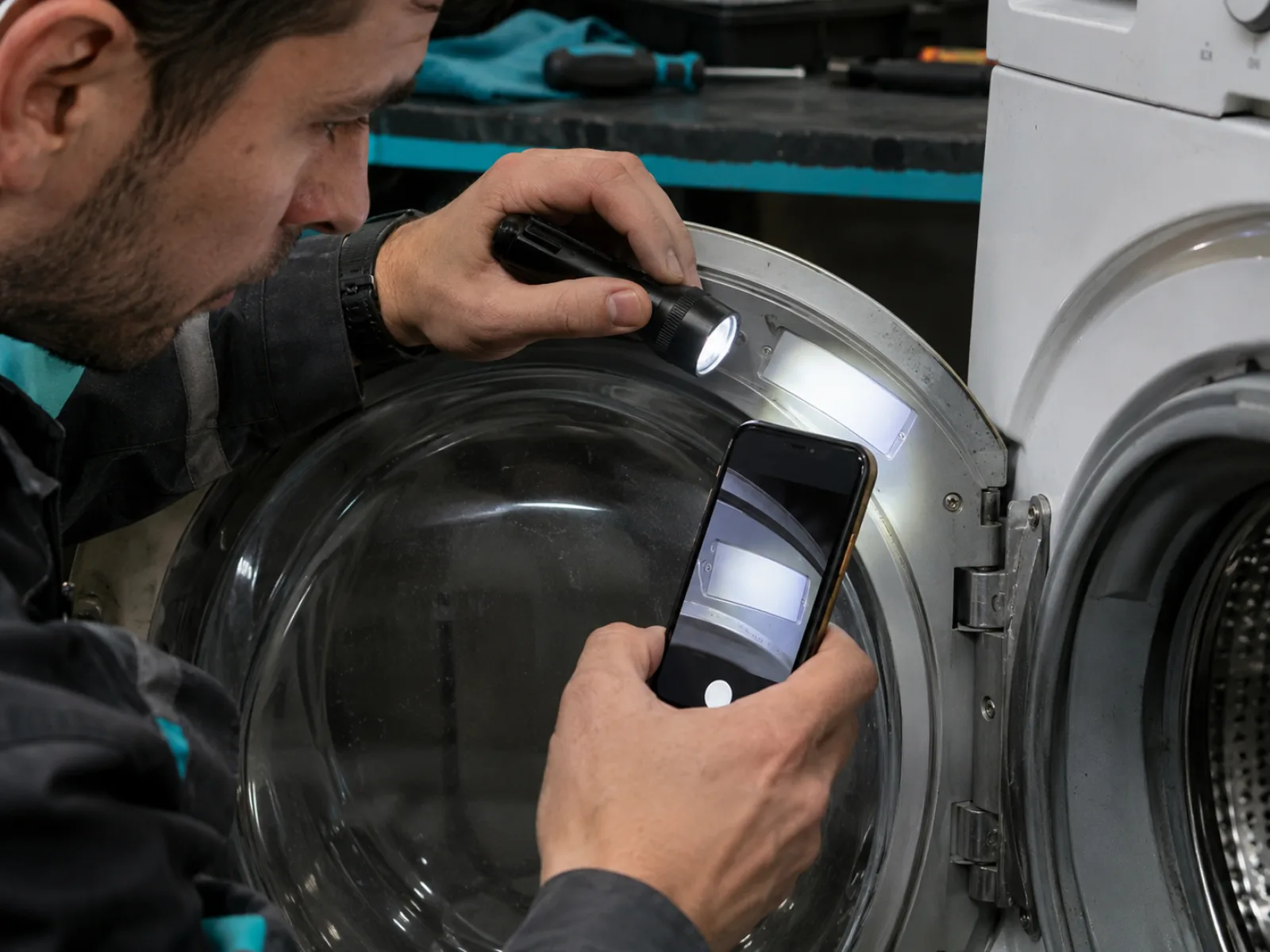
Before troubleshooting: record the model and code
Photograph the display or write down each character, when the message appeared, and which part of the cycle was running. A display that reads “5E” may be mistaken for “SE”; Samsung support may also group 5C, SC, or 1 5C variants with draining issues. Do not assume that a code shown in a video for another washer means the same thing on yours.
Find the complete model reference on the appliance label. Depending on the range, it may be around the door opening, on the frame, or on the rear panel. Search that model on Samsung Support and open its product manual. Do not move a heavy or built-in appliance by yourself to reach a label. The serial number may be needed by support, but avoid posting it publicly.
Common codes: confirm each variant in the manual
The table summarizes groups explained on Samsung’s washer support page. Treat it as a starting point: the manual for your exact model takes priority, particularly where one code has more than one meaning or firmware variants exist.
| Code or family | What the washer reports | First external check |
|---|---|---|
| 4C, 4E, 1 4C, nF | Water is not filling as expected | Check open taps, visible hose kinks, and hot/cold connections against the manual. |
| 5E, 5C, SE, SC, 1 5C, nd | Water is not draining as expected | Inspect the accessible drain hose and user-serviceable filter as the manual directs. |
| 1E, 1C, LE, LC, LC1 | Water-level sensing or leak detection, depending on the variant | Stop the cycle and look for visible water around connections; do not dismantle the washer. |
| dE, dE1, dE2, dS, d5, FL, LO | Door or lock is not detected correctly | Clear trapped laundry from the seal and close the door gently. |
| Ub, UE, U6, 1Ub, 1U6, dc* | Load imbalance on some series | Redistribute the load and retry spin only if the manual permits it. |
| HC, HE, HE1, Hr | Heating or heater-sensing condition | Note whether the code returns; internal repair should be assessed by a technician. |
Samsung also notes that some codes, including the dC family, can describe different conditions on different models. Do not use this table as a universal code map. Asterisks and spaces are part of some published variants, so confirm them in the product manual.
Step-by-step fixes, from simplest to more specific
Step 1 — Check the water supply without moving the washer
For a 4C or 4E code confirmed by the manual, Check that household water is available and the washer’s supply taps are open. Without pulling the machine out, look for visible hoses that are crushed, sharply bent, or pinched behind the appliance. A hot hose connected to the wrong inlet can also cause a problem on some configurations; compare the connections with the manual. Do not remove a pressurized hose or loosen a leaking connection. If water is shut off, a hose is damaged, or the connection cannot be reached safely, stop and arrange service.
Check: taps are open and no obvious kink is visible. If it didn’t work: stop and have the connection or supply checked.
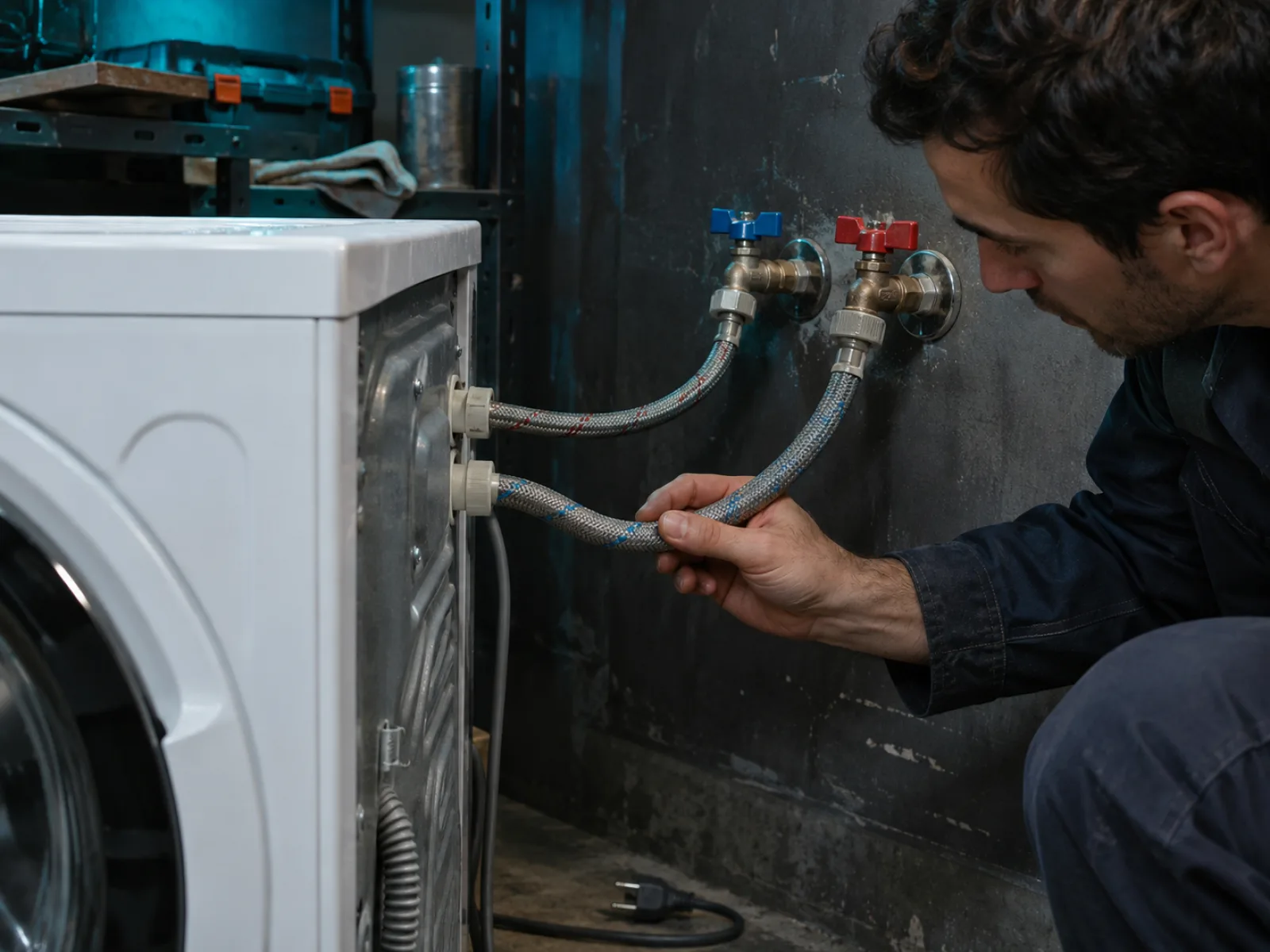
A visual check can reveal a closed tap or an obvious kink without moving the washer. Step 2 — Check draining as the manual directs
For a 5E or 5C family code, check that the visible drain hose has not been crushed or displaced and that its installation matches the manual. If your model has a user-accessible filter, follow Samsung’s exact steps: the drum must be stopped, and the water may be hot. Have a shallow container and towels ready before opening the filter. Residual water may escape. Never remove a drain-hose retaining screw to reposition the hose, and do not force a stuck cap.
Check: draining is clear and the filter is refitted as the manual directs. If it didn’t work: do not force anything; contact service.
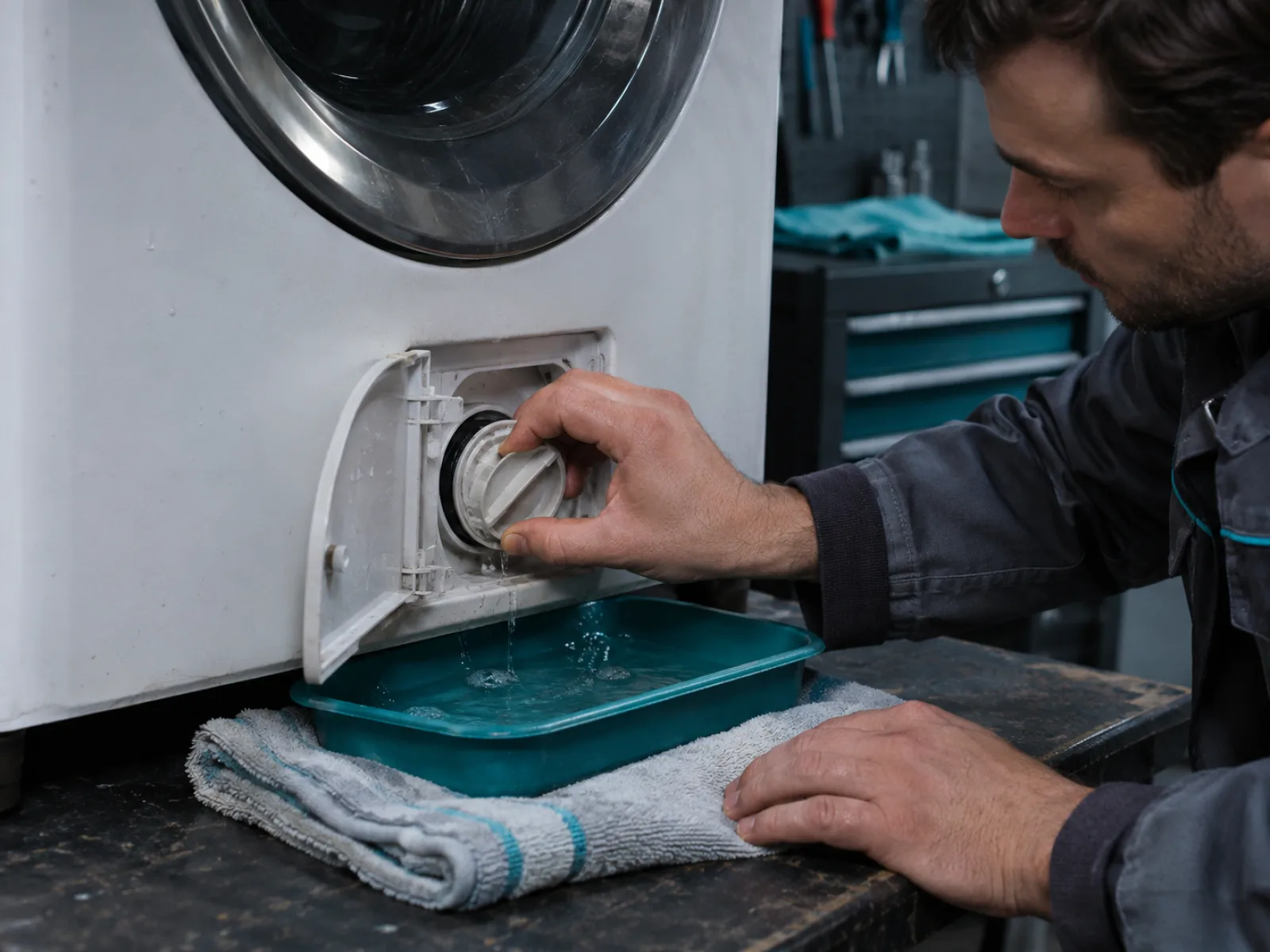
Prepare to catch water and follow the instructions for your exact model before opening a filter. Step 3 — Check the door or redistribute the load
For a door code confirmed in the manual, clear clothing trapped between the door and seal, then close it gently. Do not force a locked door; wait for the safety sequence to finish and consult the manual if it remains locked. For an imbalance code, untangle and redistribute the load, then check that the washer stands steadily. A single heavy item can prevent spinning; add compatible items only if the manual recommends it. Stop the cycle if the machine moves across the floor or repeatedly bangs.
Check: the code stays away and the cycle stage completes normally. If it didn’t work: record the circumstances and contact service.
Verify the result
Retry the programme permitted by the manual once. Confirm that the code stays away and the cycle stage completes normally. If it returns, record the code, programme, and circumstances before contacting service.
When to stop and call a technician
Stop the programme and get help for an active leak, burning smell, hot plug or cable, a breaker that trips, unusual mechanical noise, water that cannot be drained without dismantling, or a code that persists after the manual’s checks. If water reaches an outlet or cable, do not touch the wet area; switch off power at the breaker only if you can do so safely. A code involving heating, water level, a door lock, or a sensor may require electrical measurements and internal access reserved for a qualified technician.
Before contacting Samsung, have the model, serial number (share it directly with support), exact code, a photo of the display, and the checks already completed. This helps distinguish a model-specific variant from a fault and avoids replacing a part based on a code alone.
Two Samsung model-specific examples
Case 1 — Samsung WF-F1061EW/XSG: this model’s official support page links to Samsung’s 4C/4E/NF/NF1 troubleshooting. Samsung describes 4C/4E as a fill problem and advises checking hot and cold connections, visible kinks, and supply taps. The model page does not publish before/after readings or a completed repair result, so the outcome must be confirmed on the actual appliance.
Case 2 — Samsung WF1124XBC/XEF: this model’s official support page links separately to 4C/4E and 5E/5C help. If the display shows 5E/5C, follow the model’s drain-filter and hose instructions. The page provides no pressure or flow measurement and no repair outcome; do not assume a pump replacement is required.
These examples document what Samsung associates with two specific references; they are not repairs tested by ElectronixLab. Codes and procedures can vary by region and model, so use the manual linked to your exact model.
Related guides and next step
- Samsung 4C: check the water supply
- Washer not draining: filter, hose, and pump
- Washer water-level sensor symptoms and checks
- Search error codes by device
FAQ
Does 4C always mean the inlet valve has failed?
No. Start with the exact model, taps, and accessible hoses. Samsung’s cited support page directs users to check the water supply and manual; a code alone does not prove a failed part.
Do 5E and 5C mean the same fault?
Samsung groups several variants with draining. Confirm your exact display in the manual, and do not dismantle the washer to test it.
Why can dC have different meanings?
Its meaning depends on the series. Check the model manual before acting; do not transfer a definition from another range.
Can I open the filter while water remains in the washer?
Only if your model’s manual describes it as user maintenance. Water may be hot; prepare a container and stop if the cap resists.
Will restarting clear the cause of the code?
Not necessarily. If the code returns after the recommended check, record it for service instead of repeatedly restarting the washer.
Official sources
- Samsung Support — Washing machine information and error codes (accessed November 7, 2026).
- Samsung Support — find manuals by model (accessed November 7, 2026).
The support page describes code families and points readers to the manual for model-specific details. Model availability, labels, and procedures can vary by country.
Be the first to leave a comment.