Quick Fix — Clean an Air Conditioner Filter
- Turn the unit off; unplug a window or portable AC before opening its grille.
- Remove only a filter the model manual identifies as user-removable and reusable.
- Vacuum gently or rinse with lukewarm water only when the manual allows it; do not wash disposable pleated media.
- Air-dry a washable filter completely, then reinstall it in the correct direction before restoring power.
Check: the filter is dry, intact, and seated correctly; airflow returns to normal after restart.
To clean an air conditioner filter, identify its construction first. A reusable mesh screen may be vacuumed or rinsed as its maker directs. A disposable pleated filter is replaced; washing can deform its media and reduce filtration. Instructions also differ for window, portable, wall-mounted, and central systems. This guide helps you choose a method without assuming that every filter is washable.
Safety: turn the unit off. Unplug a window or portable AC before opening its grille. For central HVAC, switch the system off at the thermostat and do not open the electrical panel or blower compartment. Do not reach coils, wiring, or the refrigerant circuit. Stop if the unit is installed overhead or the grille resists removal.
When to check the filter
A dust-loaded filter can restrict airflow and make a room less comfortable. Look at the filter without bending its media. If dust forms a visible layer or blocks a mesh screen, identify the filter type before cleaning it. Weak cooling can also come from a thermostat setting, blocked return, open door, or system fault; a dirty filter alone does not prove the cause.
| What you notice | Possible cause | Next action |
|---|---|---|
| Low airflow at vents | Clogged filter or blocked return/supply grille. | Turn the system off, inspect the filter, and clear only accessible openings. |
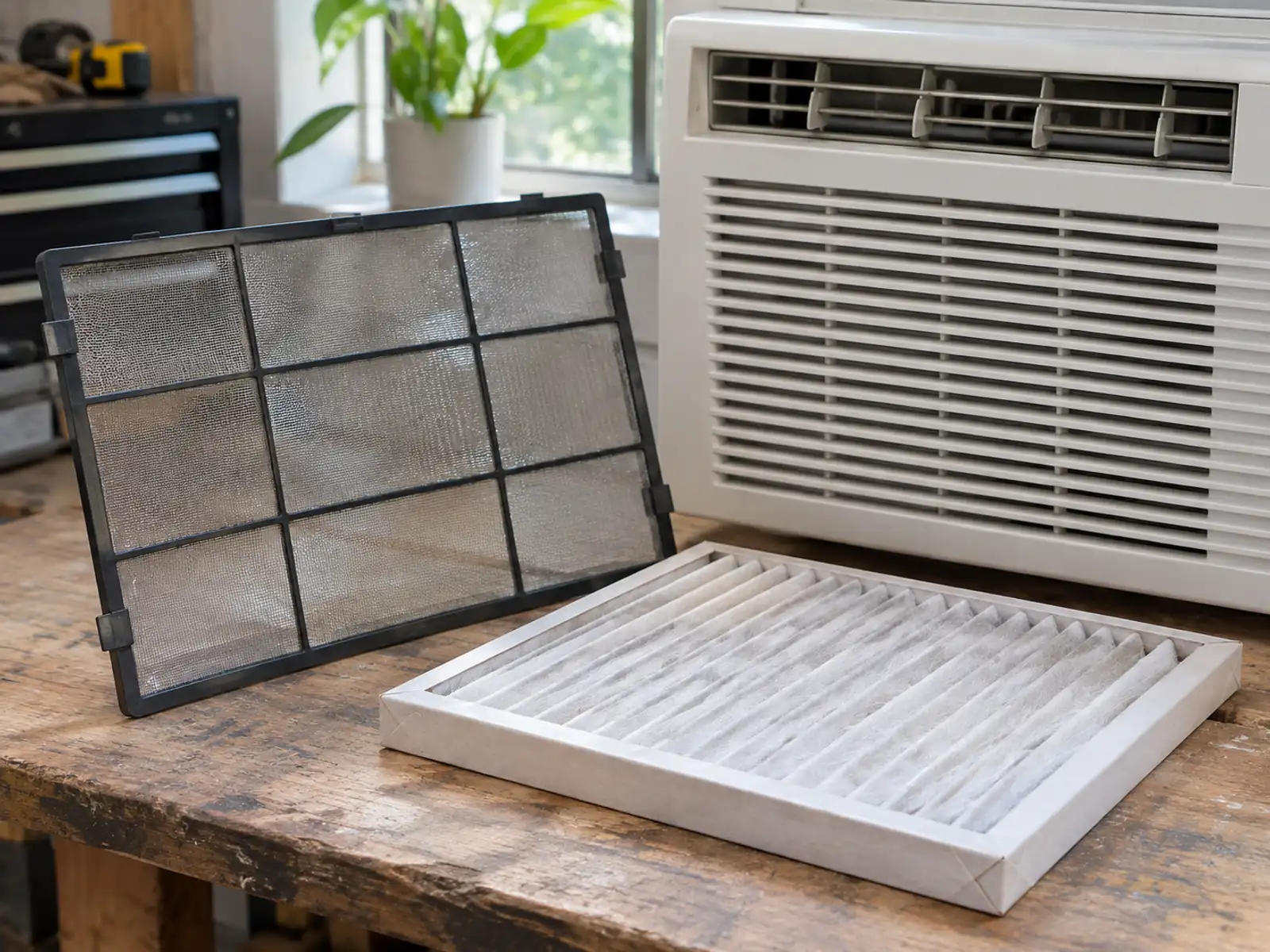
| Lightweight pleated filter | Disposable media may be loaded with dust. | Record its size and replace it with the specified compatible filter. |
| Rigid removable mesh | Reusable screen has collected dust. | Check the model manual for vacuuming, water, or mild detergent instructions. |
| Ice, unusual noise, or repeated shutdown | Restricted airflow or a separate system fault. | Stop cooling and seek service if symptoms continue after the filter check. |
Clean or replace the filter step by step
1. Find the model instructions and stop the unit
Record the complete brand and model number. A window or portable unit may place its filter behind a front or rear grille; a central system may use a slot near the indoor air handler or a return grille in a wall or ceiling. Those locations are not universal. Use the model manual to find the filter and learn how it releases. Do not remove screws, a cover, or ductwork that the manual does not identify as user access.
Switch the unit off at its controls. Unplug window and portable units. For central HVAC, use the shutdown method provided for your system; if you cannot isolate it without opening an electrical enclosure, call a technician. Check: the fan has stopped before you touch the filter. If it has not: do not continue; identify the correct shutoff in the manual.
2. Identify the filter construction
A washable screen is usually a plastic frame with visible mesh, designed for removal and reuse. Disposable media has pleats, often with a cardboard or plastic frame and an airflow arrow. Some systems add fine, electrostatic, or odor-control media. Do not clean specialty media with water, a vacuum, or chemicals unless the model instructions explicitly allow it.
For a disposable central filter, record the printed size and airflow arrow before removal. Carrier says the arrow should point in the direction of airflow toward the indoor unit; the slot location varies by installation. A wrong-size filter can let air bypass its frame. Check: you can read the size and see the arrow. If the size is missing: measure the old filter or ask the manufacturer for the correct replacement before buying.
3. Vacuum or rinse only a reusable filter
If the manual allows vacuuming, use a soft brush attachment and avoid crushing or tearing the mesh. If it allows rinsing, use lukewarm water without a strong spray. For its window and portable AC filters, LG specifies lukewarm water below 40°C (104°F); this is an example from LG’s instructions, not a universal limit. Use mild detergent only if the model manual permits it. Never immerse an electronic or specialty filter that is not listed as washable.
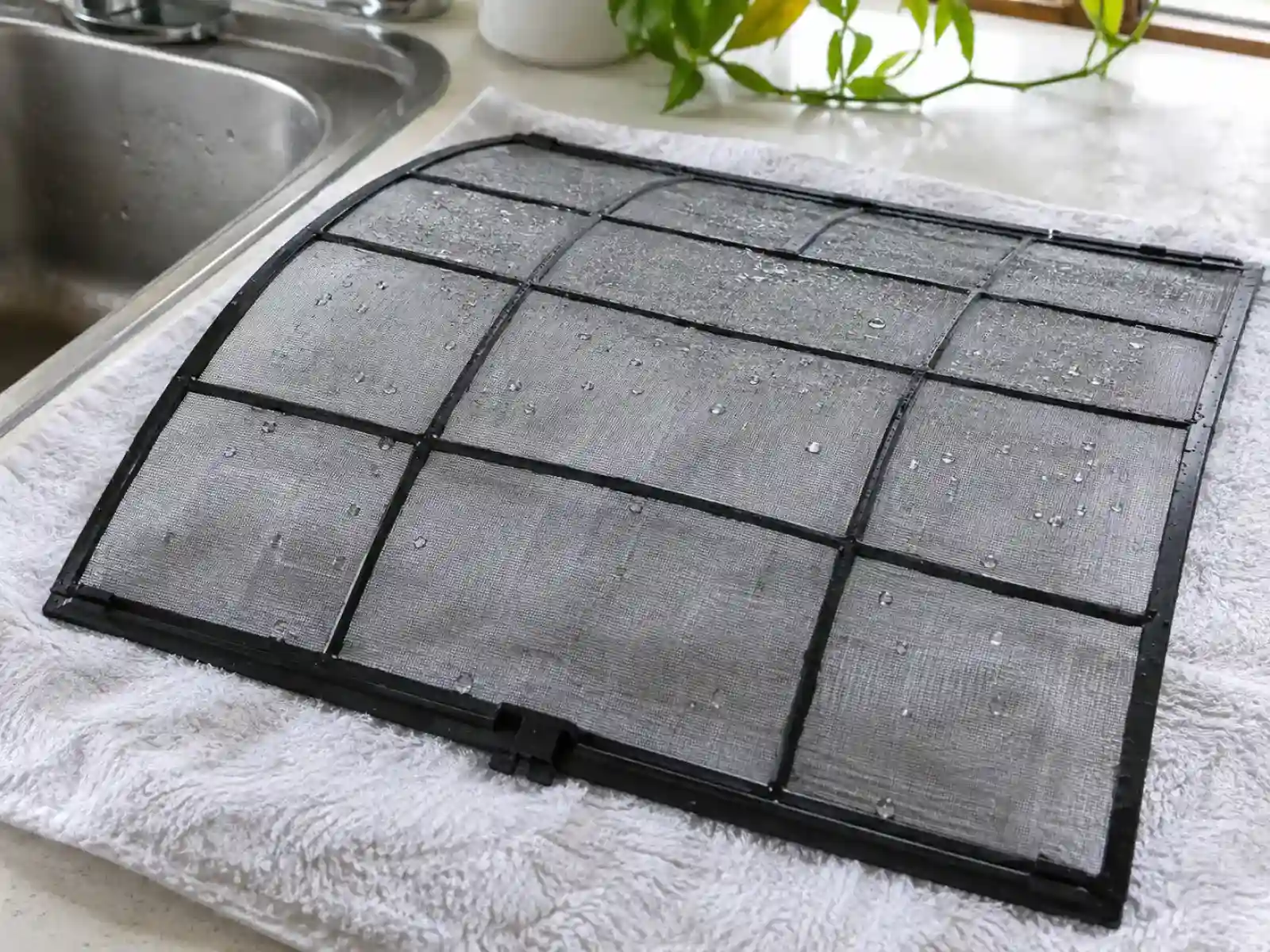
Gently shake off excess water and lay the filter flat in a shaded, ventilated area. Do not use a hair dryer, heater, flame, or direct sun when the instructions prohibit it. LG warns that a filter left wet can develop odor or mold. Check: the mesh and frame feel fully dry. If it is still damp: allow more drying time; do not reinstall it.
4. Replace disposable media without changing specifications
A disposable pleated filter is not designed to be washed. Record its dimensions, part number, and any filtration rating before throwing it away. Buy a compatible replacement; do not select a much more restrictive filter without approval from the manual or manufacturer because required airflow depends on the system. Slide the new filter into the slot without bending the frame. Point the arrow toward the indoor unit, then close the access panel.
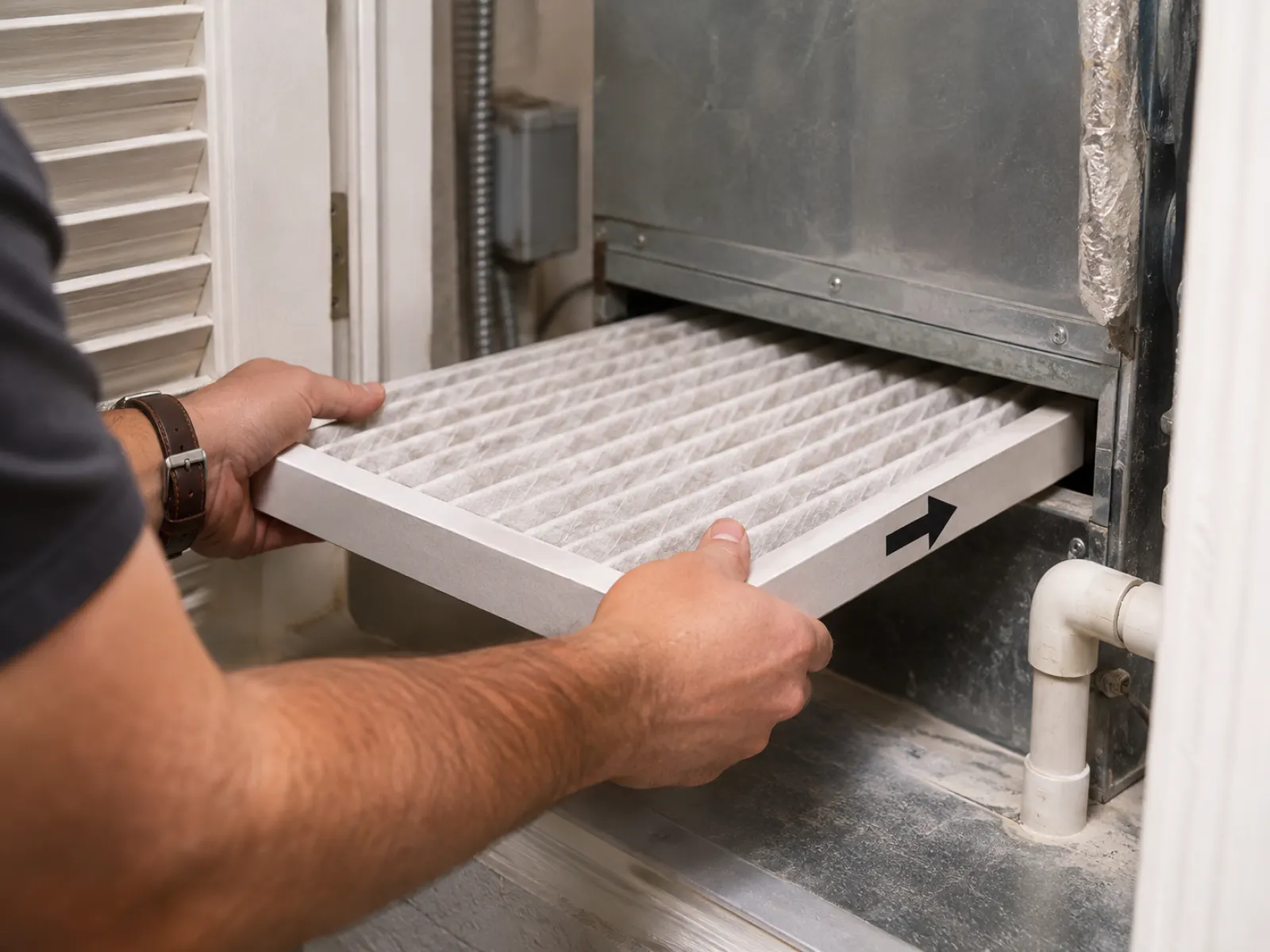
Check: the filter sits flat with no visible gap and its arrow follows the marked airflow direction. If the frame binds: remove it and recheck the size; do not force it into the slot.
Common mistakes
- Washing disposable pleated media or scrubbing it hard.
- Reinstalling a wet mesh screen or using heat to dry it faster.
- Installing the wrong size, reversing the arrow, or choosing an unapproved filtration level.
- Confusing a user filter with an internal coil; never spray cleaner into the unit.
If airflow is still low
- Confirm that the filter is clean or new, dry, the correct size, and facing the right way.
- Check whether furniture, curtains, or objects block accessible return and supply grilles.
- If the unit ices up, shuts down repeatedly, displays a code, or still has weak airflow, stop it and contact the manufacturer or an HVAC technician. Do not open the refrigerant circuit or touch the internal fan.
For an LG error code, see our LG air conditioner error-code guide and LG CH05 checks. Those codes do not apply to other brands.
When to stop and call a technician
Stop if you see ice, smell burning, find a damaged cord, see water near electrical parts, hear a fan that will not stop, or cannot remove the panel without force. A clean filter will not repair a refrigerant leak, electrical fault, or failed motor. Arrange service if cooling remains weak or the problem returns with the correct filter installed.
Frequently asked questions
Can every air conditioner filter be washed?
No. Wash only a filter the model manual identifies as reusable. Replace disposable pleated media with the specified compatible size and part.
How often should I clean an air conditioner filter?
The interval depends on the model, run time, and dust levels. LG recommends checking/cleaning every two weeks for some models; follow the schedule for your exact unit.
Can I reinstall a filter while it is damp?
No. Let a reusable screen dry completely before reinstalling it. LG warns that a wet filter can develop odor or mold in the models covered by its instructions.
Which direction does a central AC filter go?
Follow the arrow printed on the frame, generally toward the air handler. If your installation is unusual, confirm the direction in the system manual.
Next step
If your AC shows an error after the filter check, compare it with our LG air conditioner error-code guide. For other brands, use the model manual and manufacturer support first.
Sources
- LG USA Support, window and portable AC filter cleaning and replacement, updated February 4, 2026; accessed November 16, 2026.
- LG USA Support, portable air conditioner care, accessed November 16, 2026.
- Carrier, central system air-filter replacement, published October 27, 2026; accessed November 16, 2026.
- U.S. Department of Energy, HVAC filter installation, accessed November 16, 2026.
Last updated: November 16, 2026.
Be the first to leave a comment.