A silent Bluetooth speaker may only be deeply discharged, frozen after a software fault or unable to charge because of a cable or connector. Diagnose it in order before opening a sealed enclosure.
High-value checks
- Test the cable and adapter with another device.
- Charge for at least one hour; some speakers do not start immediately from an empty battery.
- Inspect the port without liquid or metal tools.
- Hold Power for about ten seconds to attempt a restart.
- Use the model manual before a factory reset.
What the symptoms mean
| Observation | Likely cause | Next step |
|---|---|---|
| No charging light | Cable, adapter, port or charging circuit | Try another compatible set |
| Charging light but no power | Deep discharge or frozen controller | Wait one hour and restart |
| Works only when plugged in | Worn or disconnected battery | Have the battery checked |
| Power but no sound | Volume, source, AUX input or pairing | Test local audio and pair again |
Reset with the correct procedure
A reset can recover a frozen controller but may remove saved pairings. Find the exact model manual. Some Sony speakers restart after a long Power press; others use a RESET button or a model-specific combination.
Battery and safety clues
A speaker that runs on USB but dies when unplugged points toward the battery. Stop immediately for swelling, odour, leakage or unusual heat. Opening a portable speaker can also destroy its water resistance.
Sources
Separate charging, battery, and startup faults
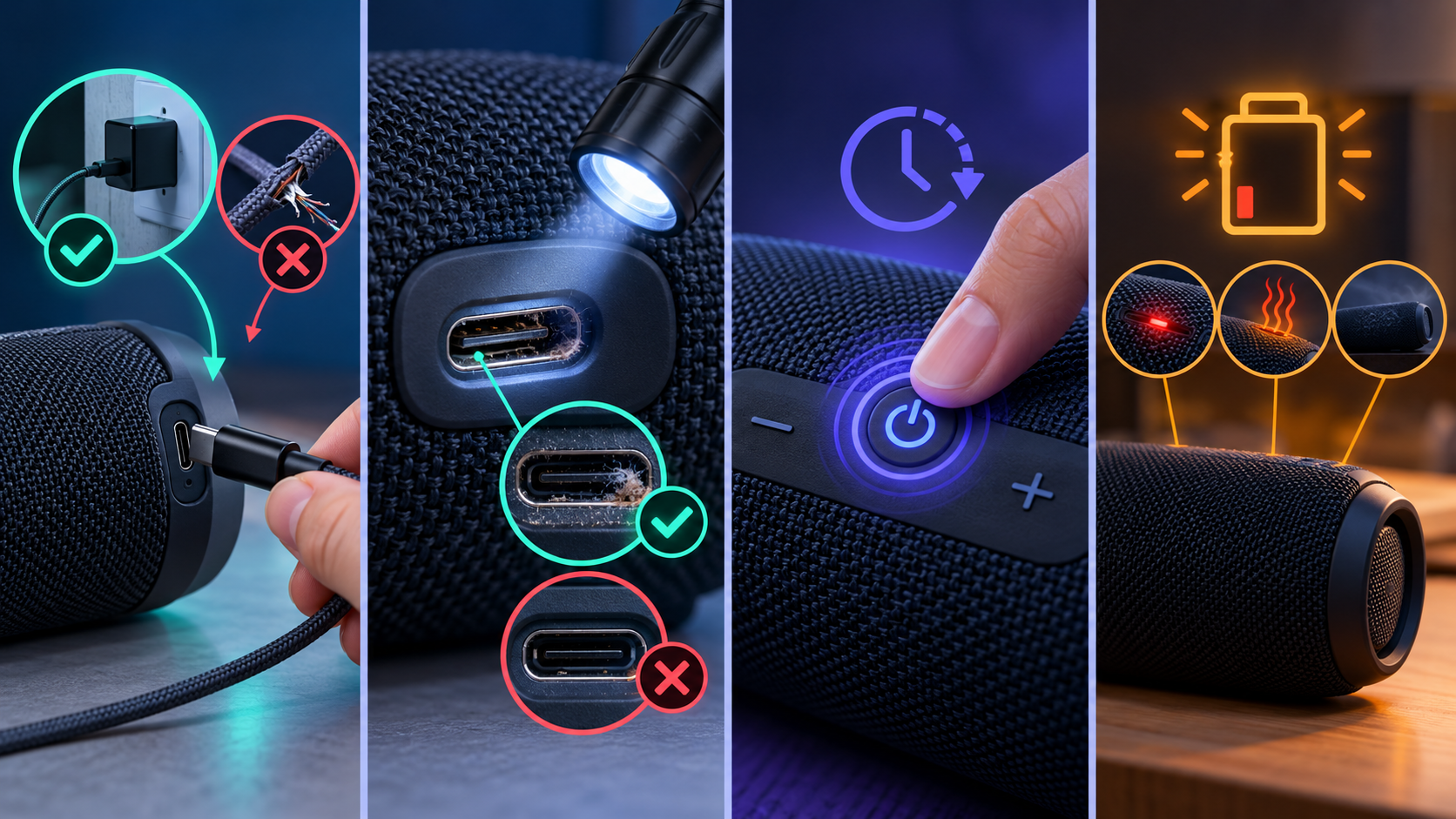
A speaker that will not turn on does not automatically have a dead battery. The USB socket, cable, adapter, power button, firmware, or battery protection circuit may be responsible. Connect the speaker to a charger that matches its manual using a verified cable, then watch the indicator for at least thirty minutes. Try a short press followed by the model’s documented long-press procedure.
Read the indicators and test the cable
A light that flashes and goes dark may indicate deep discharge, thermal protection, or inadequate input power. A steady charge light with no startup points more toward the button or control software. Verify the cable on another product and inspect the speaker port without forcing it. Older micro-USB sockets often loosen; operation only at a particular angle is meaningful mechanical evidence.
Reset and pair in the right order
A reset is useful only after confirming that the speaker receives power. Find the exact model number first because button combinations differ. Remove the saved pairing from the phone, restart both devices, and keep them within one meter. A factory reset may erase paired devices and equalizer settings, but it cannot repair a detached socket or exhausted lithium cell.
Water, cold, and long storage
Even a water-resistant speaker must not be charged while wet. Dry the port and respect the manufacturer’s waiting period. After months stored empty, battery protection may require an extended pre-charge. Let a cold product reach room temperature. Never open a swollen or distorted speaker; a lithium cell in that condition requires professional handling.
Frequently asked questions
Can I use a phone charger?
Yes when its output matches the manual and the cable is compatible; the advertised wattage alone is not enough.
Why does the speaker work only while plugged in?
The battery, battery connector, or protection circuit is the leading suspect.
Why does the red light stay on overnight?
Charging may not be progressing. Verify the source and temperature, then request battery diagnosis if it persists.
Can a reset cure hardware damage?
No. It addresses selected control or pairing lockups only.
References: Sony power troubleshooting and Sony Bluetooth reset guidance. See the battery-life calculator and all electronics tools.
A reliable diagnosis without random part swapping
Good troubleshooting follows one rule: change only one variable at a time. Record the exact symptom, test time, accessory used, and outcome. Start with free, reversible checks, then move toward actions that require disassembly. This prevents false conclusions. If you change the cable, power source, network, and settings together, you will never know which action actually fixed the fault.
Before every test, observe the clues: indicator light, sound, vibration, heat, error message, unusual smell, or intermittent behavior. A completely dead device points to different causes than one that starts and then stops. Photograph connectors and settings before making changes. A partial improvement is useful evidence, so write it down and share it with a repair technician if professional service becomes necessary.
Prepare a controlled test
- Use a power source and accessories already verified on another device.
- Remove unnecessary adapters, extension leads, and automations.
- Let the device return to room temperature before drawing conclusions.
- Perform one action, wait for the specified time, and record the result.
- Back up important data or settings before any factory reset.
Safety is more important than obtaining a result. Stop immediately if you see a swollen battery, melted cable, liquid, burn marks, or smell a strong chemical odor. Never work on an open mains power supply and never bypass a fuse. Internal measurements belong to trained people with suitable equipment. This guide helps identify a family of causes; it does not justify a hazardous repair.
Interpret the evidence and make a decision
Classify the outcome into three levels. If the fault disappears with a known-good accessory, replace only that accessory. If behavior changes but remains unstable, repeat the test under identical conditions to rule out coincidence. If external checks make no difference, an internal defect becomes more likely. Ask for a written estimate that separates diagnosis, parts, labor, and repair warranty.
Compare total repair cost with the device’s realistic value, while considering stored data, accessories you already own, and environmental impact. A worthwhile repair addresses the root cause instead of hiding the symptom. Ask the technician to identify the failed part and test the product under load before returning it. For intermittent faults, your notes and a short video often provide more value than a vague description.
Prevent the problem from returning
Keep connectors clean and dry, avoid mechanical strain on cables, allow air to circulate around power supplies, and install stable manufacturer updates. A short monthly inspection can reveal looseness, corrosion, or overheating before complete failure. Keep the invoice and exact model reference because both make compatible-part searches and warranty claims much easier.
Be the first to leave a comment.