When the display is lit but the drum never begins, the washer is receiving at least some power; that observation does not prove that its control board has failed. A cycle can wait for a valid Start command, a delay to expire, a door lock to engage or water to enter. Begin with the display and the sequence of events. Do not bypass the door interlock or open electrical covers.
Record what happens after you press Start
- Note the selected programme and indicators.
- Press the documented command once and observe.
- Record any change or displayed code.
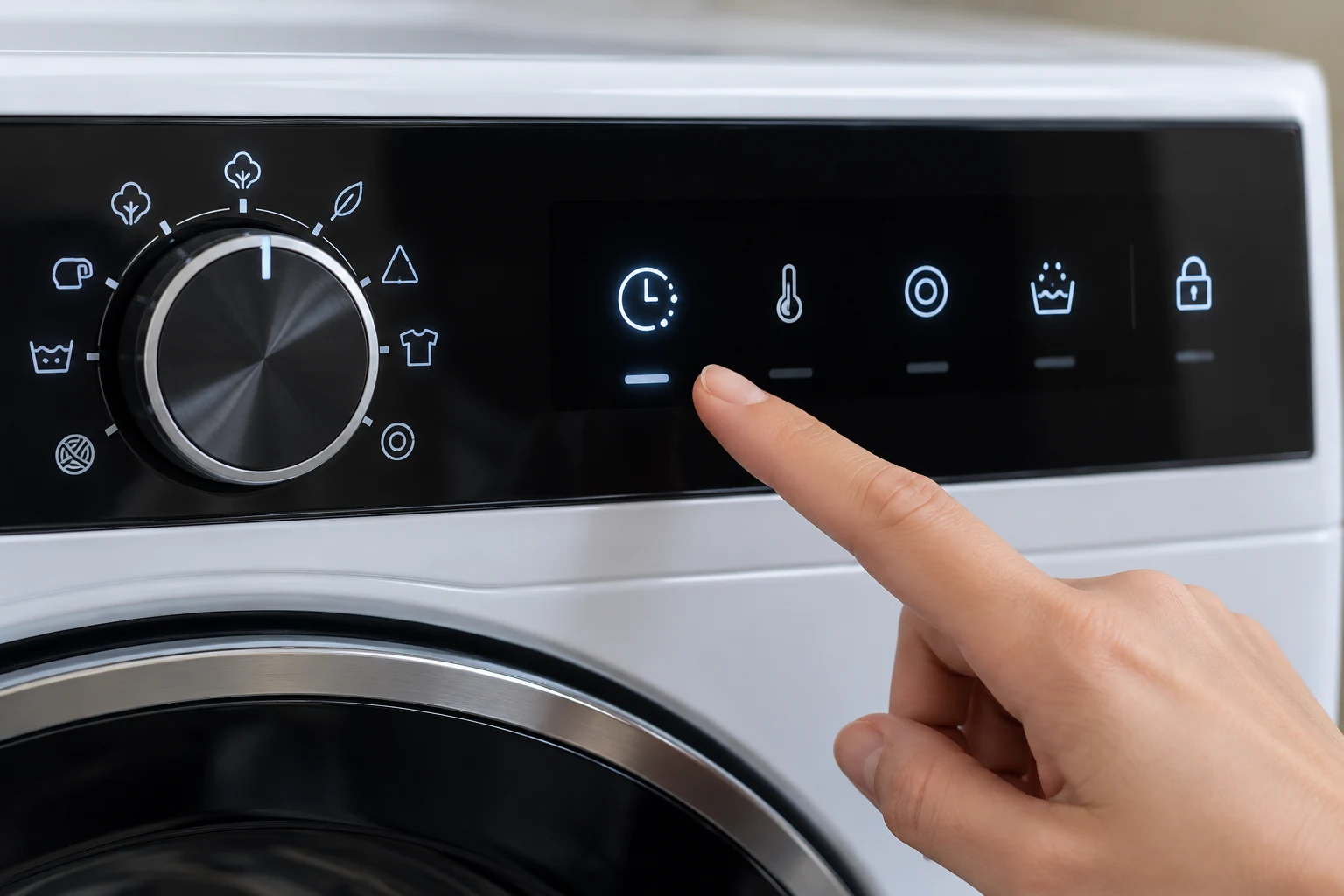
Note the selected programme, any lock or clock icon, error code, beeps, flashing pattern and whether the door clicks. Wait for the model’s normal start delay: some machines pause briefly while weighing the load or locking the door. Consult the exact model manual because symbols and button combinations differ. A lit panel is not a universal code.
| Observation | What it suggests | Next check |
|---|---|---|
| Countdown or clock icon | Delay start may be active | Cancel it using the model’s control, then select Start |
| Key/child symbol | Controls may be locked | Use the manual’s key combination |
| Door clicks then error appears | Lock confirmation or another detected fault | Record the exact code and consult the model manual |
| Nothing changes, no click or code | Command sequence, control input or internal fault remains possible | Repeat once with a simple programme; then stop |
Check the selected command before the hardware
System.Text.RegularExpressions.MatchEvaluatorMany panels illuminate as soon as a programme is selected, before the wash actually starts. Press Start/Pause once as described in the manual and look for a countdown or status change. Avoid repeatedly tapping the button: some controls interpret long presses or repeated presses differently, and rapid attempts can leave the machine in a paused or selection state.
Cancel a delayed start if its clock icon or countdown is shown. If the machine was left on while a programme was being selected, some models return to standby after a timeout; start the selection again rather than assuming a failed board. A pause at the beginning can also be part of weighing or load-sensing. Give it the normal time listed in the manual, but do not wait indefinitely if an error code appears.
Rule out child lock and an accidental pause
System.Text.RegularExpressions.MatchEvaluatorA key symbol, “LOC” message or disabled buttons can indicate a control lock. The release may require holding one marked button or two buttons together for several seconds. There is no safe universal combination: using a guessed sequence may change another setting. Find the exact control-lock instruction for the model. Once the icon disappears, select a short rinse or drain programme and press Start once.
If the display shows pause, resume the existing programme according to the manual. A power interruption can leave a cycle paused; cancel and start a new cycle only if the manual permits it and the drum is not full of water. Do not force the door. If water is visible inside or the door remains locked, use the model’s safe drain instructions or contact service.
Inspect the door and load without forcing the latch
System.Text.RegularExpressions.MatchEvaluatorFor a front loader, open the door only if it releases normally. Remove a garment caught between the glass and rubber seal, then check that the seal is not folded over and the hinge area is not visibly displaced. Close the door firmly but without slamming it. A small or overloaded load can bunch at the opening; remove a few items and retry. For a top loader, ensure the lid closes fully and nothing obstructs its strike.
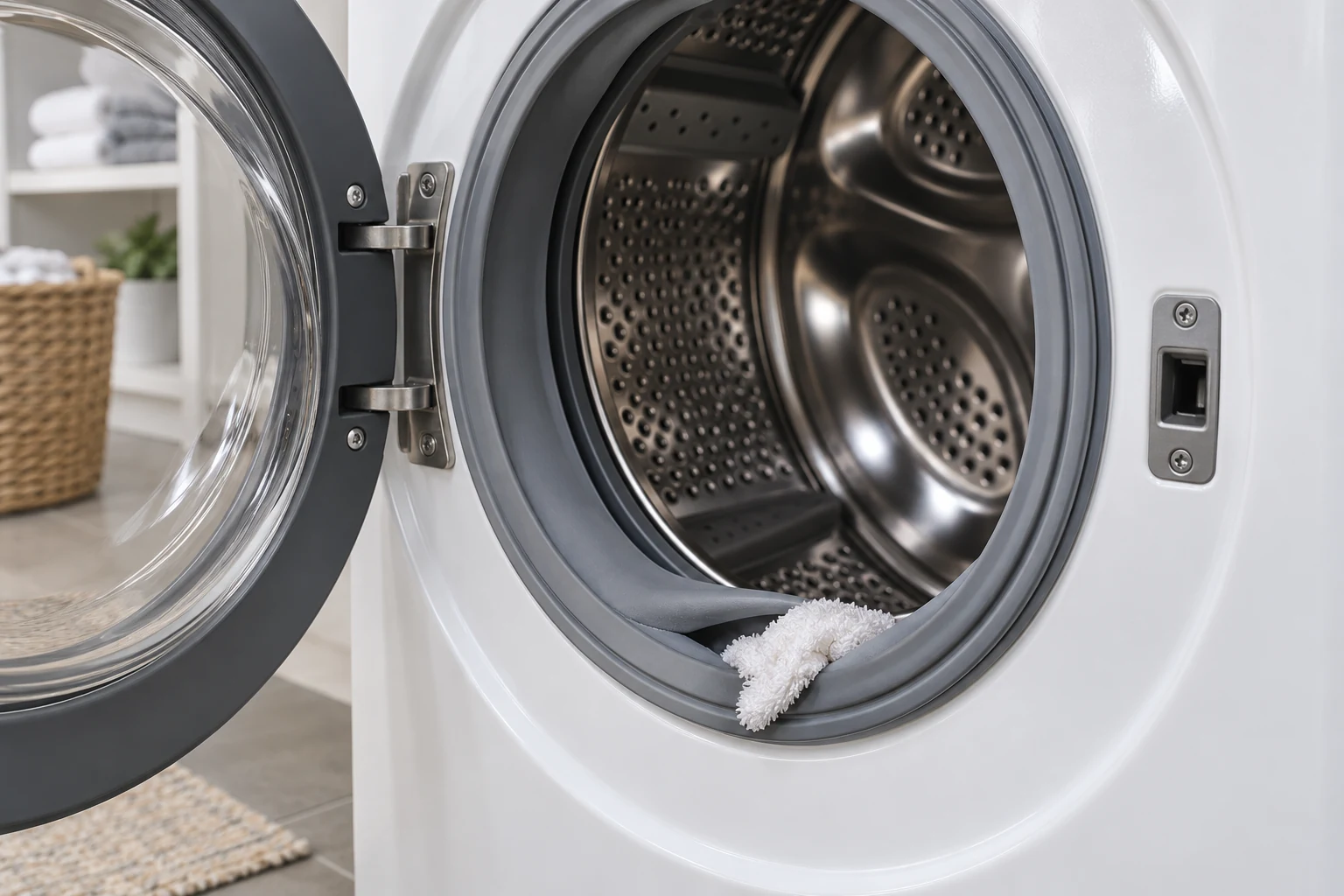
After closing, listen once. A brief lock click followed by water entry indicates that the machine has moved beyond the command stage. A repeated click with no start, an unlocked door when the cycle should be locked, or a visible damaged latch is a reason to stop and arrange service. Never wedge, short or tape the interlock: it prevents access to a moving or water-filled drum.
Read the water and error indications
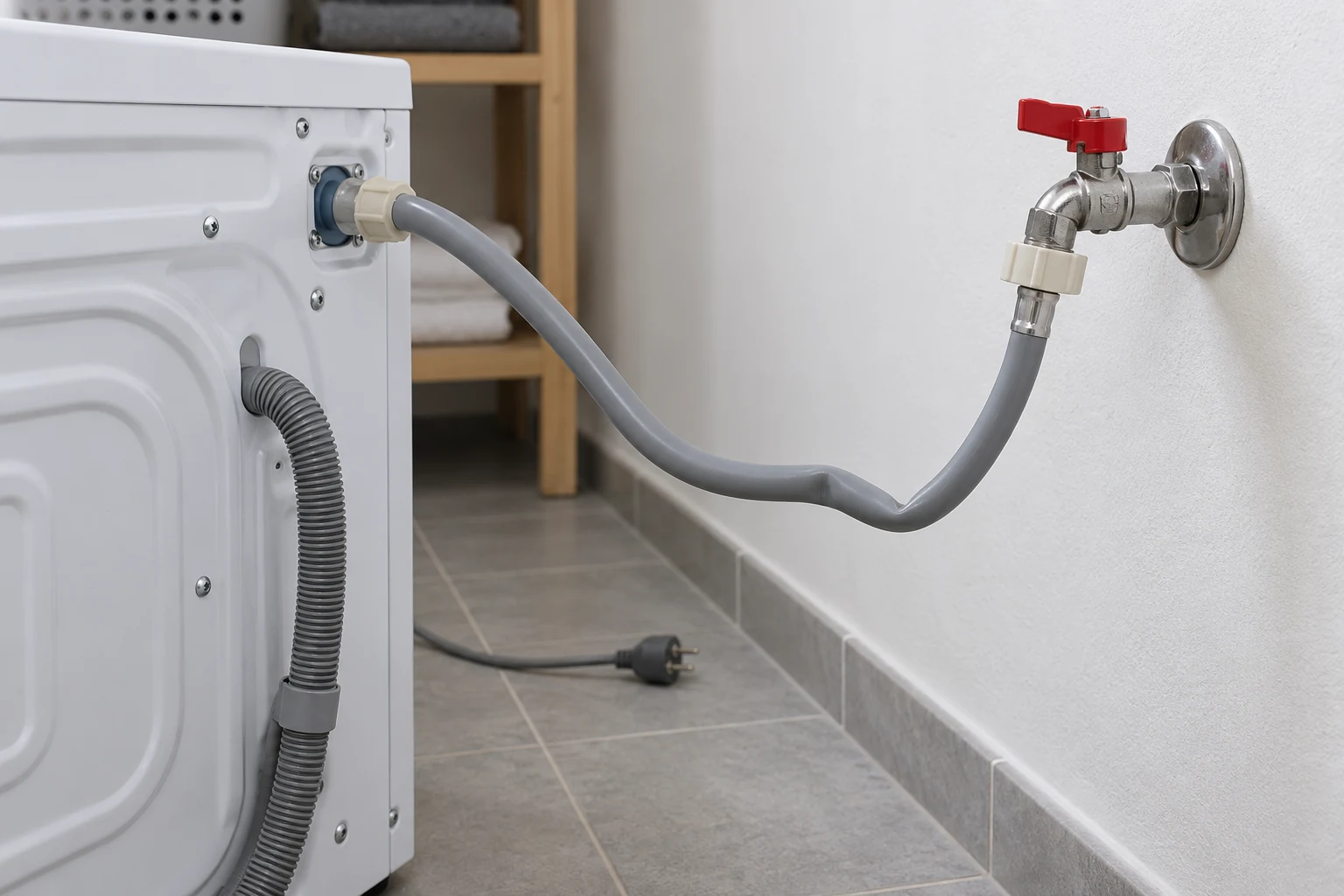
System.Text.RegularExpressions.MatchEvaluatorIf the machine locks but does not fill, check that the wall tap is open and the visible inlet hose is not sharply kinked or crushed. Do not pull a built-in washer out if doing so strains the hose or electrical cord. A tap icon, code or repeated inlet attempt points to a water-supply branch; consult the model-specific error explanation. Do not disconnect a pressurised hose or clean an internal valve as a first diagnostic step.
A code is more useful than a guess about the failed part. Write it exactly, including letters, leading zeroes and which lights flash. Manufacturer code meanings can vary by series and region. If the code returns after the user checks listed in the manual, stop retrying and provide the model and code to an authorised repair service. A code that mentions door, drain or water does not by itself prove a particular component has failed.
Use one controlled restart, then decide
System.Text.RegularExpressions.MatchEvaluatorIf there is no leak, burning smell, unusual heat or tripped breaker, switch the washer off with its normal control. If the manufacturer recommends a reset, follow its timing and sequence; do not repeatedly unplug it as a substitute for diagnosis. Choose a simple programme, verify the door and tap, press Start once and observe whether the state changes. Record the result and stop if the same failure returns.
| Result | Meaning you can safely infer | Action |
|---|---|---|
| Cycle starts after cancelling delay or lock | A setting prevented the command | Note the setting; no part diagnosis follows |
| Door does not latch or code returns | Safety confirmation is not being accepted | Stop; service can inspect latch and wiring |
| Door locks but no water; tap symbol appears | Machine reports an inlet-stage problem | Check accessible tap/hose, then model guide |
| Blank, rebooting or flickering display; breaker trips | Possible electrical supply or internal issue | Stop and use a qualified technician/electrician |
When to stop and request service
System.Text.RegularExpressions.MatchEvaluatorStop immediately for water near electrical parts, a hot or damaged plug, a burning smell, smoke, repeated breaker trips, a loud electrical buzz or a door lock that behaves unsafely. If the display stays lit but no programme begins after the documented command, child-lock, door, load and accessible water checks, the remaining possibilities include a control input, lock circuit, wiring or electronic fault. Those require model-specific tests with the appliance safely isolated. Do not open the cabinet or probe live circuits.
Before contacting service, collect the full model/serial label, code, selected programme, whether the door clicks, whether water enters, and what changed just before the failure. This evidence narrows the visit without claiming a diagnosis from indicator lights alone.
Separate a start failure from a fill failure
These two symptoms look similar from across the room but occur at different stages. If the door locks and a few seconds later the inlet valve can be heard, the command was probably accepted; the machine may now be waiting for water. If the door never locks and the display remains unchanged, investigate the command, control lock and door closure first. If the machine pumps briefly before stopping, record that sequence and any code: a drain or leak-protection event can prevent a new fill on some models. These observations are clues to the stage, not proof that a valve, pump or board is defective.
For a water-stage complaint, check the tap and visible hose only. A kink that appeared after moving the washer, a closed tap following plumbing work, or low household pressure may explain why the cycle does not proceed. Do not loosen the inlet coupling while it is pressurized, and do not remove the inlet screen unless the manual gives a safe user procedure. If other taps also have weak flow, the cause may be the household supply rather than the appliance.
Consider installation and household conditions
If the washer was just installed, moved or reconnected, confirm that the shipping restraints were handled according to the installation guide and that the hose is routed without crushing. Installation instructions differ; do not improvise with the drain height or hose arrangement. A new machine that displays an installation or water message should be checked against its own guide before repeated starts. On a recently used machine, note whether the problem began after a power interruption, a plumbing change or a heavy load.
A tripped breaker, warm outlet or damaged cord changes this from a simple programme check to an electrical safety issue. Do not repeatedly reset a breaker that trips again, and do not use an extension lead as a diagnostic shortcut. If the outlet is suspected, a qualified electrician should assess it; household wiring checks are outside appliance troubleshooting.
What the observations can and cannot prove
A successful start after cancelling a delay supports a settings explanation for that attempt, but does not certify every function. A door click shows that a sound occurred; it does not prove the interlock has made a safe electrical connection. Water heard entering does not confirm correct water level or pressure. Likewise, an icon can identify the control’s reported condition without naming the failed part. Keep these boundaries in mind when deciding whether a repair is needed.
When contacting service, describe facts in order: “panel lights, selected cotton cycle, start pressed once, one click, no fill, tap symbol after about a minute.” This is more useful than saying “the board is broken.” Include a photo of the display only if it contains no private information; do not photograph exposed wiring or disassembled parts.
Frequently asked questions
System.Text.RegularExpressions.MatchEvaluatorWhy are the lights on if the washing machine will not start?
The display can be powered while a separate condition prevents the cycle: a missing Start command, active delay or lock, door not confirmed, water warning or internal fault. The lights alone do not identify which one.
Should I reset the washer by unplugging it?
Only follow the reset procedure in the exact model manual. A reset may clear a transient state but cannot repair a mechanical latch, water restriction or electrical fault.
Can I test the door switch with a magnet or bypass it?
No. Do not defeat the interlock. It protects against access to a moving drum and water; a technician can test its operation safely.
Does a humming sound mean the pump is broken?
Not by itself. Note when it occurs and whether water enters or drains. A persistent sound paired with an error should be interpreted using the model’s guide, not by replacing a pump based on sound alone.
Sources consulted
System.Text.RegularExpressions.MatchEvaluator- Electrolux France: washer does not respond or start (consulted 1 November 2026).
- Bosch: washer troubleshooting and model support (consulted 1 November 2026).
- Samsung France: washer door closure (consulted 1 November 2026).
Be the first to leave a comment.